
In October 2026, the Indian certificate authority eMudhra reported that eight intermediate keys in its global TLS business were cryptographically weak. Browsers responded by distrusting the related root, and within days eMudhra announced it was leaving the global SSL/TLS certificate business. Here’s what happened, why it reached software teams, and what to check on your own systems.
Watch the video
The incident, the browser response, and a practical certificate check on fineshot.ai:
What happened
- The eight intermediate issuing keys were created in a key ceremony on 30 April 2025. The weakness was in these intermediates, not the root private key.
- A researcher reported them on 17 October 2026, and eMudhra says it revoked all eight the next day.
- Seven had never been used in production, and the one that was deployed issued no end-entity (website) certificates.
- Researcher Scott Helme showed the keys were so weak that all of them could be cracked on a laptop in under a second. One private key was literally the number 4.
- eMudhra said there was no infrastructure compromise or data breach. On 26 October it posted a public apology that began by admitting the researcher was right.
How browsers responded
It helps to keep two separate actions apart:
- Blocking the eight keys: Google blocked the affected intermediates through a CRLSet update, and Mozilla, Apple and Microsoft blocked the bad certificates too.
- Removing the root: as a precaution, Firefox removed the emSign ECC Root CA – G3 on 20 October, and Chrome removed it on 27 October 2026.
Removing a root has a wider effect than blocking eight keys: any certificate that chains to that root now fails in those browsers, even a legitimate, unexpired one. That’s why some websites needed replacement certificates.
On 22 October eMudhra confirmed it is exiting the global SSL/TLS certificate business, which it says was about 1% of its revenue. It’s moving affected customers to other certificates for free (including Sectigo), and has promised an independent review and a full root cause report.
Why software teams had to care
Trust decisions don’t only happen in browsers. Python apps, containers, command-line tools and background services often carry their own certificate store, and they only get the change when you update them. Python’s maintainers told users to update pip and the certifi package and to rebuild container images, so old cached trust bundles wouldn’t linger. Cloudflare updated WARP and Cloudflare Tunnel.
SSL/TLS in one minute
SSL is the familiar name, but modern connections use TLS. A website certificate binds a domain name to a public key. Your browser checks the site certificate and its chain: the intermediate that issued it, then a root it already trusts. If any link is distrusted, the connection fails.
The padlock means the browser accepted the connection and the identity check. It does not prove the website is honest or harmless.
Check your own certificate
Open your site, click the padlock and view the certificate details. For example, fineshot.ai uses a certificate from Let’s Encrypt (YE2) that chains to ISRG Root YE, so it was not affected. From a terminal:
# who issued your certificate, and when does it expire?
echo | openssl s_client -connect www.example.com:443 -servername www.example.com 2>/dev/null \
  | openssl x509 -noout -issuer -subject -dates

# show the whole chain; look for "emSign" anywhere in it
echo | openssl s_client -connect www.example.com:443 -servername www.example.com -showcerts 2>/dev/null \
  | grep -E 's:|i:'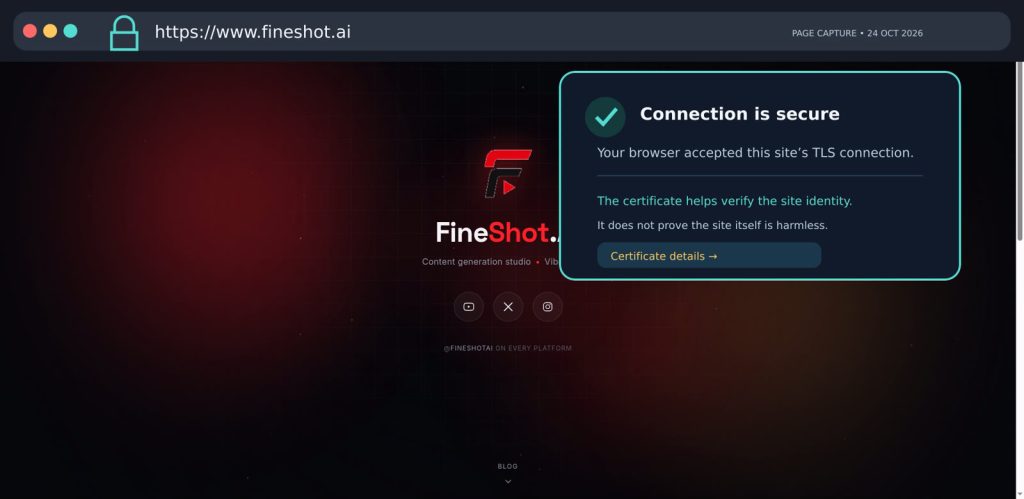
What to do
- If your certificate chains to an emSign / eMudhra root, replace it now with one from another CA.
- Update
certifi, your operating system’s CA bundle (ca-certificates), and rebuild your container images. - Keep certificate verification on. Don’t “fix” errors by disabling it.
Sources: eMudhra incident page · Scott Helme · BleepingComputer · Python announcement · Cloudflare · The Hacker News
More on YouTube
Prefer watching? The full eMudhra incident walkthrough is on our YouTube channel: watch the video. For more hands-on breakdowns of security bugs, Linux servers and dev tools, subscribe at youtube.com/@fineshotai.